Getting AWS Lambda Environment Variables in all supported languages
Every language supported by AWS Lambda reads environment variables through its own native API. Code snippets for each are collected in one place, with no extra dependencies.
On this page
I’ve been using Amazon AWS quite recently at my new job at Mercury FX, and I love it. I have been converting many functions run from a single application into smaller Lambda functions that I can then schedule and trigger with other tools provided by AWS.
One of the first things I learned about was Environment Variables. They allow you to configure settings for a function without hardcoding them. They look like this in the AWS Console:
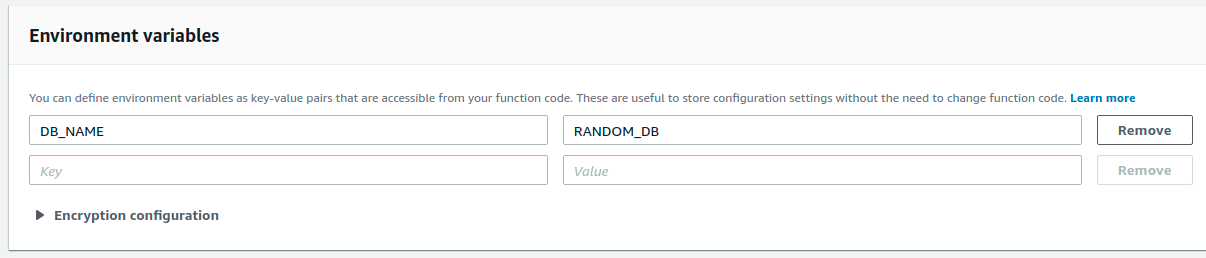
Accessing these environment variables is different in every programming language supported by AWS Lambda, as each language uses a native API for retrieving the environment variables instead of introducing a dependency for retrieving environment variables (yay, no need for another dependency). I have used a few languages in AWS Lambda while learning how to use it effectively and decided to create a post summarising how to retrieve environment variables in every language supported by AWS Lambda.
Table of Contents
C#
Environment.GetEnvironmentVariable("NAME_OF_VARIABLE");Go
import ("os")os.Getenv("NAME_OF_VARIABLE");Java
System.getenv("NAME_OF_VARIABLE");Node.js
process.env.NAME_OF_VARIABLE;Powershell
$env:NAME_OF_VARIABLEPython
import osos.environ['NAME_OF_VARIABLE']Ruby
ENV['NAME_OF_VARIABLE']I hope you found this useful. If I have left something out or made a mistake, please let me know in the comments!
References
- https://stackoverflow.com/questions/41094954/accessing-aws-lambda-environment-variables-in-java-code
- https://docs.aws.amazon.com/lambda/latest/dg/go-programming-model-env-variables.html
- https://fitch.tech/2019/05/29/aws-lambda-for-powershell-encrypted-environment-variables/
- https://stackoverflow.com/questions/40937512/how-to-access-an-aws-lambda-environment-variable-from-python
- https://www.honeybadger.io/blog/using-ruby-on-aws-lamba/